CFD by Hand Get it
BUILT FOR ENGINEERS

Understand every equation.
Solve every cell.

Learn how CFD really works by solving it yourself, one cell at a time, in Excel.

Get everything for £34.99 Try 5 worksheets free
Finish everything in a weekend Excel on Windows and Mac No CFD experience needed
33guided worksheets
24practice problems
2ebooks included
10k+followers on Instagram

Don't just run CFD.
Understand it.

You can press "Run". But could you explain what the software just did? Here, you build it yourself, step by step, so nothing is hidden.

Before
CFD feels like a magic button. You get pretty colours, but you don't know where they came from.
After
You know what every equation means, because you worked it out yourself, cell by cell.
1

An interactive ebook

Each worksheet explains one idea in plain English, with pictures. Then you fill in the answers.

2

Work it out by hand

Do each step on paper first, so you really understand it.

3

Solve it in Excel

Type your answer and get a tick or a cross straight away. Stuck? The answers are one tab away.

What you'll build

Three Excel workbook packs, plus two ebooks. Each worksheet takes about 10 to 20 minutes, so you can finish everything in a weekend.
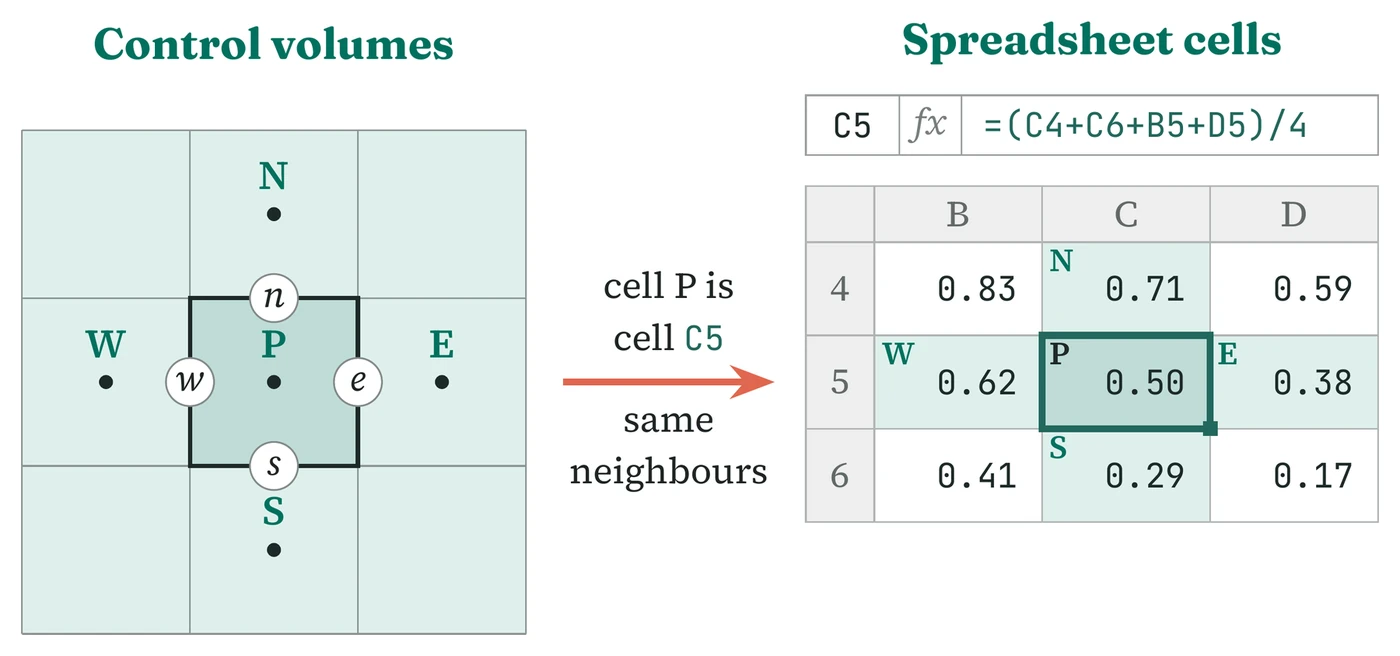
A grid of control volumes around cell P next to a spreadsheet where cell C5 is the average of its four neighbours
PACK 1 · START HERE

FVM Foundations

See that a CFD mesh is really just a spreadsheet. Start from zero and build up to your first flow.

11 worksheets · 8 practice problems
See what's inside →
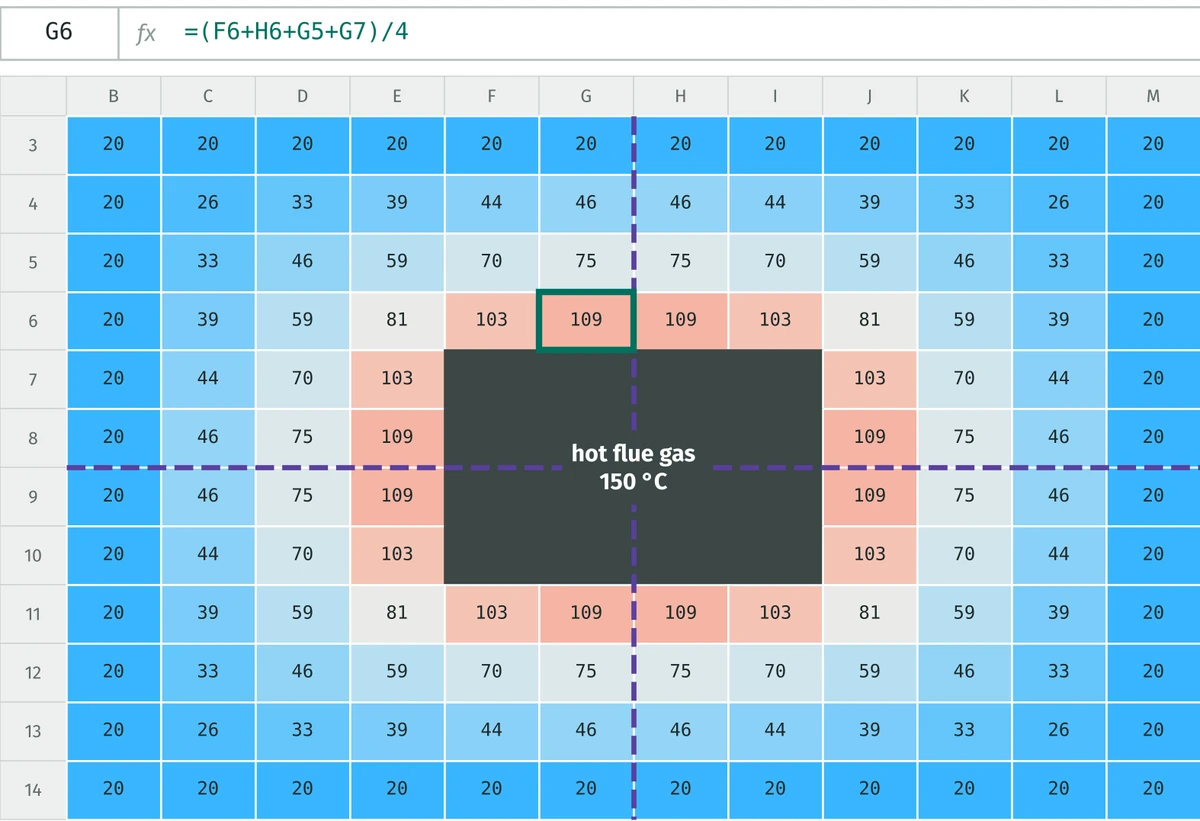
A spreadsheet where each cell holds the temperature around a hot chimney flue, coloured from hot red to cold blue, with dashed symmetry lines
PACK 2

Heat Transfer in Excel

Find the temperature all around a hot chimney, right in your spreadsheet. And discover the trick that lets you skip three quarters of the work.

11 worksheets · 8 practice problems
See what's inside →
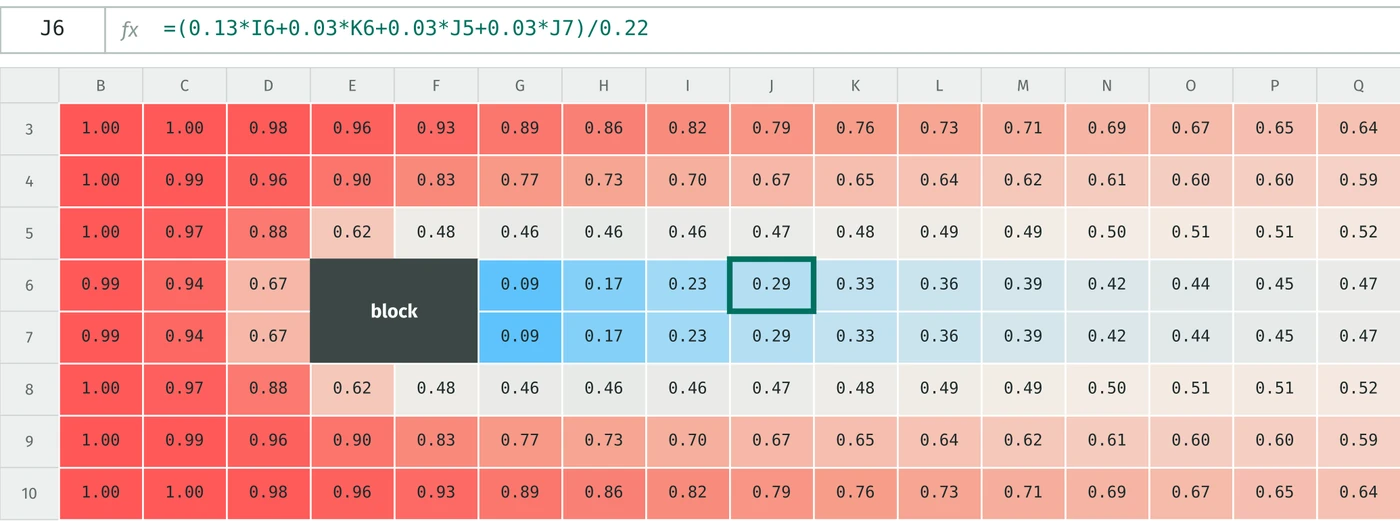
A spreadsheet where each cell holds the value carried by a flow past a square block, with the cold wake behind the block shown in blue
PACK 3

CFD in Excel

Learn how CFD really works by building it yourself in Excel. From your first flow all the way to velocity and pressure.

11 worksheets · 8 practice problems
See what's inside →
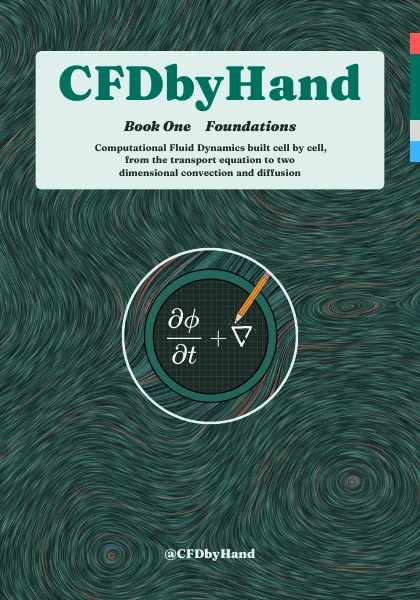
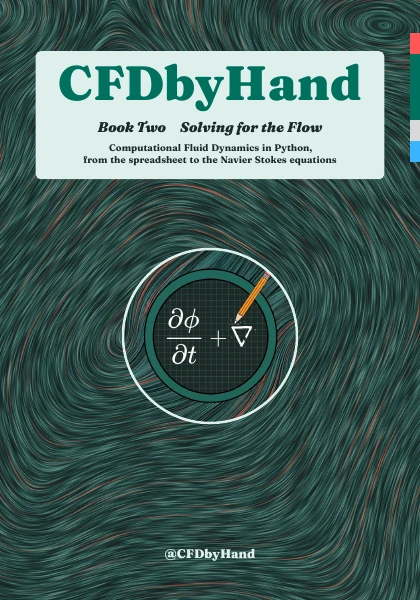
Cover of Ebook 1: Foundations Cover of Ebook 2: Solving for the Flow
PLUS BOTH EBOOKS

Ebook 1 and Ebook 2

Ebook 1 (162 pages) builds CFD cell by cell in a spreadsheet. Ebook 2 (269 pages) shows you how to do it all in Python code. PDF.

See what's inside →
Get everything for £34.99
FREE · NO CARD NEEDED

Try 5 worksheets free

Get the first 5 worksheets of FVM Foundations and the cheat sheet, free. See how it works before you buy.

Get the free worksheets
Just enter your email on the next page. No card needed.

This is for you if

you're an engineer or student who learns best by doing, not just reading
you're a visual learner who likes to see every step with pictures
you want to know what the CFD software is really doing in the background

It's not for you if

you only want to learn which buttons to click in CFD software
you're after research-level modelling

DMs from followers

Process safety engineer
Hey, Your page is awesome. I work as a process safety engineer and had to develop a steel thermal response to heat radiation model. Only modelled 1-D heat transfer in excel using FTCS numerical time stepping. I’ve been working on this problem for the past 6 months and what you’re doing is dead set down my ally. Thank you:)
Follower
Bro, your content is insane!
Follower
really nice bro - i appreciate your work 🔥🔥🔥
Student
For sure!! I would be really happy to learn from that, it will also help me to choose my major as well. Thank you so much for everything
Follower
Useful and inspiring content!
CFD by Hand logo

I run @CFDbyHand on Instagram, where 10k+ engineers learn CFD one cell at a time.

I built these workbooks so that any engineer can learn CFD by hand and see exactly how it works, with nothing hidden. Got a question? DM me on Instagram and I'll get back to you fast.

Follow @CFDbyHand

Get everything

BEST VALUE

The Complete Bundle

All 3 workbook packs + both ebooks
£34.99 £64.96 SAVE £29.97
One-off payment. Yours to keep forever.
FVM Foundations, Heat Transfer and CFD workbook packs
33 guided worksheets and 24 practice problems, all with instant ticks
A start guide and a cheat sheet for every pack
Ebook 1 and Ebook 2 (PDF)
Answers to your questions on Instagram
Get everything for £34.99
Instant download · VAT included · secure checkout
Prices in GBP (£). You can buy from anywhere, and your card converts it automatically.
Only need part of it?
Workbook Bundle · all 3 packs£27.99 Ebook Bundle · both ebooks£19.99

Questions

What software do I need?

Excel on Windows or Mac. Google Sheets is not recommended.

I've never done CFD. Is this too advanced?

Not at all. FVM Foundations starts right from the beginning, and every step is explained in plain English. If you can rearrange a simple equation, you're ready.

How long does it take?

Each worksheet takes about 10 to 20 minutes, so you can finish everything in a weekend. There are no deadlines, so you can also go at your own pace.
How do I get the files?

Straight after you pay, you get a download link for every workbook, guide, cheat sheet and ebook.

What if I get stuck?

Every sheet has an Answers tab that looks the same, and lots of questions have hints. For anything else, DM me on Instagram at @CFDbyHand and I'll reply fast.

Ready to see how CFD really works?

Get everything for £34.99 or try 5 worksheets free
© 2026 CFD by Hand Instagram @CFDbyHand
Complete Bundle£34.99 £64.96
Get everything